Saturday, 28 February 2015

Google Scraps Plans to Block Sexually-Explicit Content on Blogger


Days after announcing a ban on sexually explicit content or "graphic nudity" on its Blogger platform, Google has reversed course.

Google said Friday that after a barrage of public comments, it decided not to implement the ban, but instead would step up efforts to enforce its policy barring "commercial porn."

"We've had a ton of feedback, in particular about the introduction of a retroactive change (some people have had accounts for 10+ years), but also about the negative impact on individuals who post sexually explicit content to express their identities," product manager Jessica Pelegio said in a post to the Googleproduct forum.

"So rather than implement this change, we've decided to step up enforcement around our existing policy prohibiting commercial porn."

She added that operators should continue to mark any blogs containing sexually explicit content as "adult" to get an adult content warning.

"Bloggers whose content is consistent with this and other policies do not need to make any changes to their blogs," she said.

Google's new policy elicited complaintsearlier this week over Twitter, with some calling it censorship.

Violet Blue, who pens the human sexuality blog tinynibbles.com, tweeted, "Censoring this content is contrary to a service that bases itself on freedom of expression."

For full coverage of the Mobile World Congress from Barcelona, visit our MWC 2015 page.

iBall Andi 5M Xotic With 2GB of RAM Available Online at Rs. 8,950

iBall's yet-to-be-launched Android 4.4 KitKat-based smartphone dubbed the iBall Andi 5M Xotic is now available via an online retailer at Rs. 8,950. The smartphone was first teased by the company earlier this month, and has still to be officially launched with pricing and availability details.

On Monday, Mumbai-based retailer Mahesh Telecom had also tipped the launch of the iBall Andi 5M Xotic at Rs. 7,999.

The iBall Andi 5M Xotic, according to the listing, is a dual-SIM smartphone and runs on Android 4.4 KitKat which is upgradeable to Android 5.0 Lollipop. It features a 5-inch qHD (540x960 pixels) IPS display that offers a pixel density of 220ppi.

The smartphone packs a quad-core 1.3GHz Cortex-A7 processor coupled with 2GB of RAM. Besides an 8-megapixel autofocus rear camera with BSI sensor and LED flash, the iBall Andi 5M Xotic also includes a 3.2-megapixel front-facing camera. The 16GB of inbuilt storage is expandable via microSD card (up to 32GB).

Connectivity options on the iBall Andi 5M Xotic include 3G, Wi-Fi, Bluetooth, Micro-USB, GPS/ A-GPS, and FM radio with recording. The handset is backed by a 2000mAh battery. It is available on eBay.

Along with the reported launch of the Andi 5M Xotic, Mahesh Telecom had tipped another smartphone from iBall had made a debut - the iBall Cobalt Oomph 4.7D. As for the iBall Cobalt Oomph 4.7D, the handset's design appears to be copied from the iPhone 6, as seen in the image. The dual-SIM dual-standby smartphone features a 4.7-inch HD (720x1280 pixels) resolution IPS display with a pixel density of 312ppi. Like the iBall Xotic, the Cobalt Oomph 4.7D also runs on Android 4.4 KitKat and is upgradeable to Android 5.0 Lollipop. Powered by a Cortex-A7 based quad-core 1.3GHz processor, the smartphone houses 1GB of RAM.

Xolo A1010 With 5-Inch Display, Android 4.4 KitKat Launched at Rs. 5,499

Xolo has launched a new budget smartphone - the Xolo A1010. The smartphone is available to buy exclusively from Homeshop18 at Rs. 5,499, and is also listed on the company website.

The Xolo A1010 is a dual-SIM smartphone running Android 4.4 KitKat. It features a 5-inch FWVGA (480x854 pixels) resolution IPS display with a pixel density of 196ppi. Powered by a dual-core MediaTek MT6572 processor clocked at 1GHz, the A1010 sports 512MB of RAM and a 395MHz Mali 400 GPU alongside.

The latest Xolo offering also features a 5-megapixel rear camera with LED flash and a VGA (0.3-megapixel) front-facing camera. The Xolo A1010 bears 4GB of inbuilt storage, which can be expanded up to 32GB (via microSD card).

Measuring 143.7x72x8.8 mm, the A1010's connectivity features include 3G, Wi-Fi, Bluetooth, Micro-USB with OTG, and A-GPS. A 2500mAh battery backs the handset, which is available only in Black and White colour variants.

Last month's Xolo Q520s features almost the same specifications as the Xolo A1010, though with a slightly faster processor, and was seen listed at Rs. 5,699.

The smartphone maker also launchedanother Windows Phone-based Xolo Win Q1000 smartphone at Rs. 8,499.

Apple Watch to Replace Car Keys, Says CEO Tim Cook

Apple Watch will replace your car keys and its battery will last the whole day, Apple Inc's Chief Executive Tim Cook told the Telegraph in an interview.

The watch is designed to replace car keys and the clumsy, large fobs that are now used in many vehicles, Cook told the newspaper.

Its battery will last the whole day, and will not take as long to charge as an iPhone, the reportquoted Cook as saying.

Apple Watch will also work as a credit card through Apple Pay, Cook told the paper, but did not mention how user verification will work with the watch.

The rollout of the watch might pose a challenge for Apple's stores, which may involve "tweaking the experience in the store," the Telegraph said, citing Cook's conversation with the staff at Apple's Covent Garden store in London.

Last March, Apple unveiled CarPlay, which lets drivers access contacts on their iPhones, make calls or listen to voicemails without taking their hands off the steering wheel.

Earlier this month, Reuters reported that the iPhone maker is looking at making a self-driving electric car, and is talking to experts at carmakers and automotive suppliers.

In the interview, Cook said that the Apple Watch will operate a special rewards system, track the user's activity and "be correct to 50 milliseconds".

Apple was not immediately available for comment.

The company has scheduled a special event on March 9, where it is expected to showcase Apple Watch, which will be launched in April.

Google Scraps Plans to Block Sexually-Explicit Content on Blogger


Days after announcing a ban on sexually explicit content or "graphic nudity" on its Blogger platform, Google has reversed course.

Google said Friday that after a barrage of public comments, it decided not to implement the ban, but instead would step up efforts to enforce its policy barring "commercial porn."

"We've had a ton of feedback, in particular about the introduction of a retroactive change (some people have had accounts for 10+ years), but also about the negative impact on individuals who post sexually explicit content to express their identities," product manager Jessica Pelegio said in a post to the Googleproduct forum.

"So rather than implement this change, we've decided to step up enforcement around our existing policy prohibiting commercial porn."

She added that operators should continue to mark any blogs containing sexually explicit content as "adult" to get an adult content warning.

"Bloggers whose content is consistent with this and other policies do not need to make any changes to their blogs," she said.

Google's new policy elicited complaintsearlier this week over Twitter, with some calling it censorship.

Violet Blue, who pens the human sexuality blog tinynibbles.com, tweeted, "Censoring this content is contrary to a service that bases itself on freedom of expression."

For full coverage of the Mobile World Congress from Barcelona, visit our MWC 2015 page.

Sennheiser Momentum M2 IEi Review: Killer Looks, Not-So-Satisfying Sound

You've probably heard of Sennheiser. Its headphones and earphones are everywhere from giant multi-brand electronics megastores to that chap selling budget in-ears by the side of the road. The popular choice of college kids looking to upgrade from the bundled in-ears of their smartphones, Sennheiser has come a long way in building up a reputation for producing solid, sonically capable headphones and earphones.

That brings us to the Momentum M2 IEi, popularly known as the Momentum In-Ear. They're part of the Momentum Series, which is one of Sennheiser's premium ranges, focusing on looks. The Momentum Over-Ear (Rs. 24,990) and Momentum On-Ear (Rs. 14,990) were both well received for both their styling and their sound. They also look exactly like each other with the only difference being their sizes. The in-ears, on the other hand, look nothing like the other two, but since the Momentum name has come to represent anything from Sennheiser that looks somewhat interesting, we'll accept the terminology.
Design and Specifications
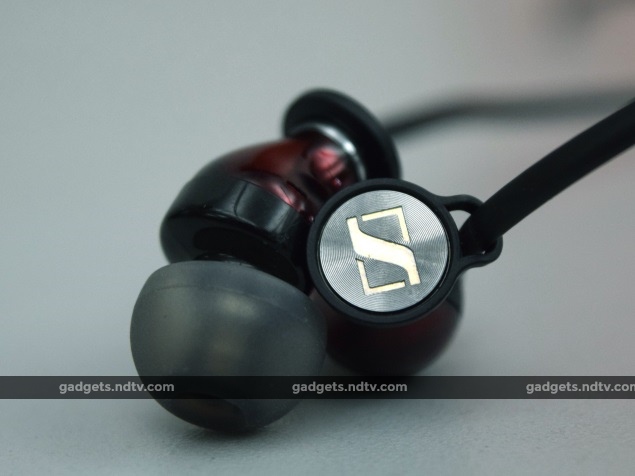
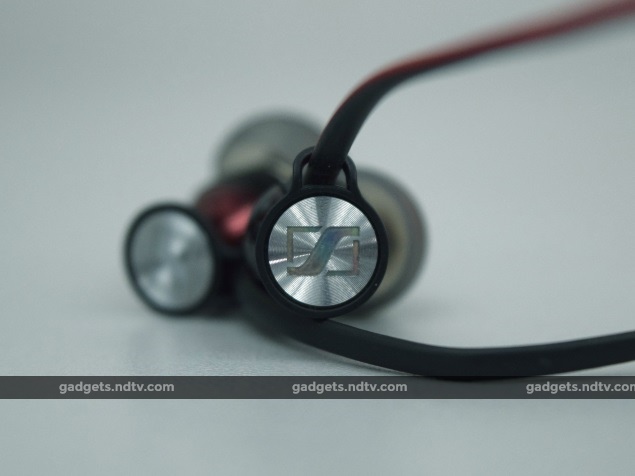
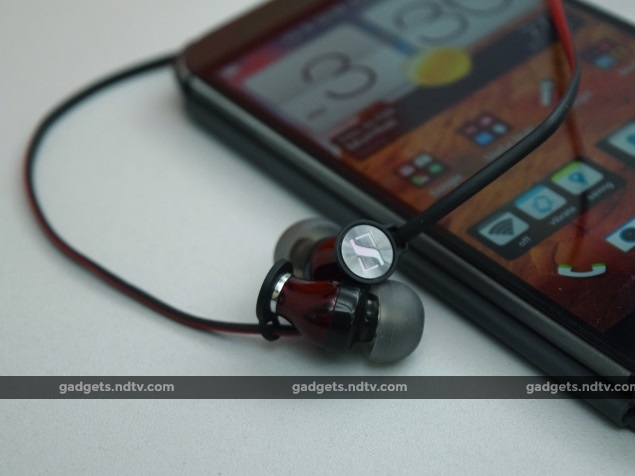
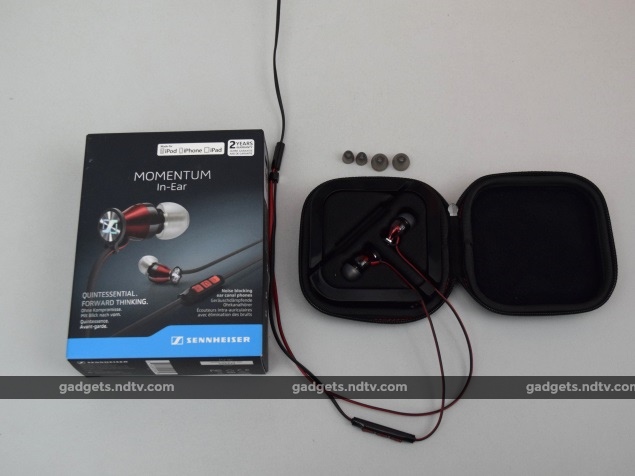
The Momentum range is set apart by design, and the M2 IEi lives up to that name. Its ear-tips are comfortable enough, although Sennheiser only bundles two replacement sets of tips, which may not be the right fit depending on the individual user's ear canals. The deep red metallic finish lends a touch of class to the casing, while the Sennheiser logos on each earpiece shine and glint in the light.

There are loops through which the cables pass before connecting with the earbuds, which helps keep them angled away from the earpieces. Simple touches like this show that some thought has gone into making these in-ears attractive.
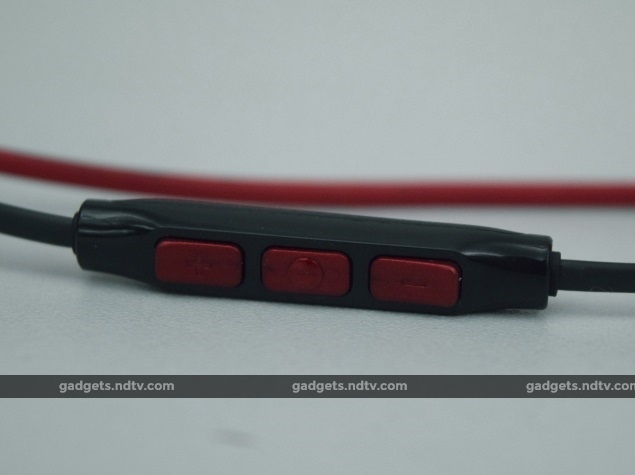
The cable follows the same colour scheme, with one side red and the other side black. The iOS-friendly in-line remote also keeps to the colour scheme, although it feels a bit plasticky. There's also a model called the M2 IEG, which has anAndroid-compatible in-line remote.

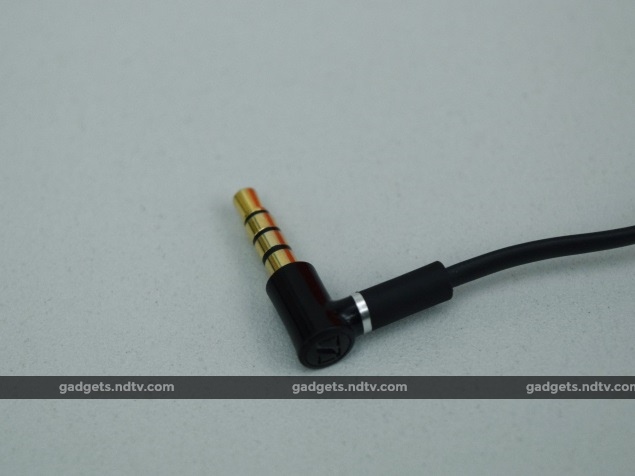
There's just one colour option, though cable length is the typical 1.3m you see in most in-ears. With a 3.5mm connector and a weight of 16g, the Momentum M2 IEi is everything you'd expect in terms of portability and ease of use on-the-go.
Fit and Comfort
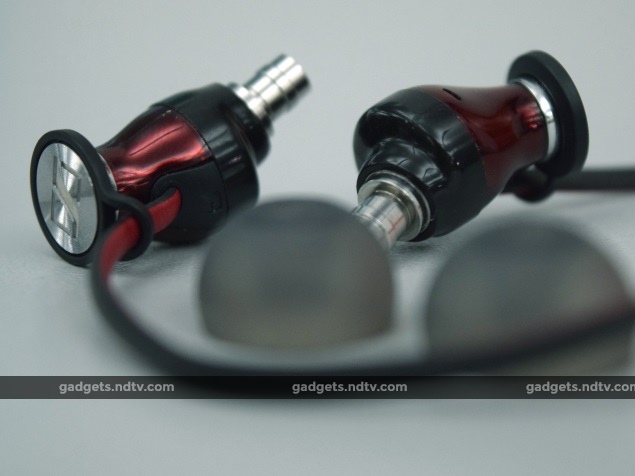
Fit is usually a subjective matter, but Sennheiser's lack of ear-tip options (just three in the box) means getting the perfect fit is a little bit harder than it should be. The standard tips did fit comfortably enough in our ears, but the unique design ensures that the entire casing sticks out. This, in our opinion, looks a bit odd, but it doesn't affect comfort or in-ear grip in any way.

Speaking of which, the M2 IEi is comfortable enough to wear for hours at a time, thanks to their light build and suitable fit. However, audio performance is probably going to prevent you from using them for long stretches.
Performance
Despite looking and feeling like they're going to sound like a million bucks, the Momentum M2 IEi in-ears perform somewhat inconsistently. This depends on the audio source, with the M2 having the best brought out in it by an HTC One (M8) (Review | Photos), but disappointing when used with an HP Windows 8.1 laptop. We sent a high-quality 16/44.1 rip of The Verve's Bittersweet Symphony through both devices into the headphones.

It's immediately evident that they're bright. At times, they can even be too bright. There's a shrill ring to the sound that occasionally makes you cringe, which brings us to why we say there will be a limit to the length of your listening sessions with these in-ears. The instrumentals of Bittersweet Symphony, from the violin riff to the bells, all have a piercing effect that proves that the treble is a bit too strong. There's also a noticeable lack of openness, with the sound feeling a bit two-dimensional. Vocals sound a bit dull and unexciting as well. Surprisingly, this improved when we switched to MP3.
This is where the bass handling capabilities of the Momentums come into the open. Bass is tight, with a gentle thump to it. Even bass notes were solidly translated by these buds. Nucleya's Akkad Bakkad showed their prowess with loud, punchy tracks, where the bass had a tendency to override the shrillness of the highs. Mids were lost between the over-imposing lows and highs, though.

It isn't a sonic signature that will agree with everyone, but the Momentum In-Ears do produce impressive bass and strong highs. This goes well with most kinds of electronic music, because of a lack of vocals and a strong tendency to rely on bass. Heavy metal, rock, dubstep and drum-and-bass also sound adequate on the Momentums. Lighter genres such as jazz, soft pop and movie soundtracks are short-changed due to the lack of openness and the shrill treble.
Verdict
We won't go so far as to say you shouldn't consider these, since they are beautifully built and designed. Sound can be satisfying for the most part, and they definitely get loud enough, if that is a factor in your listening needs. But at this price, it's hard to say you can't do better, with more neutral sonic signatures and openness. The Soundmagic E10S is available at less than half the price and sound far better, and the Shure SE215 produces a more neutral sound at around the same price.

Price (MRP): Rs. 6,990

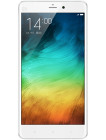
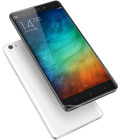
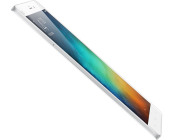
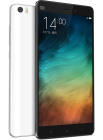
Xiaomi Mi Note review: Striking the right note

Introduction

Proper flagships are coming in pairs lately as every maker is trying to cater for different crowds. Apple, Samsung, HTC and Sony - but also Oppo, Meizu, Huawei. Until recently the breakdown would've implied ones to watch and learn from vs. ones to compete with but the market is changing. Up and coming Chinese makers have really hit a stride.

Xiaomi here has done a fair deal of watching and learning, and still haven't entirely outgrown the copycat phase. Yet they do have not one, but two flagship phablets that seem capable of challenging the big guys. Today we meet the Mi Note, the first of the two to make it to the market.

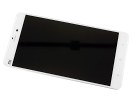
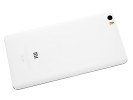
Unlike the Mi Note Pro, which uses all the latest tech such as a QHD display and the controversial Snapdragon 810 chip, the Mi Note is still one foot in 2014 with a 5.7" 1080p screen and Snapdragon 801. But don't be mistaken - Xiaomi has spared no effort in making the Mi Note a looker, enhancing its camera department and polishing its MIUI 6 launcher. The moment you grab a Mi Note - you'll know you are handling something new and special.

    
Xiaomi Mi Note official pictures

Some of the highlights of the smartphone are the 13MP rear camera with optical stabilization and 4K video recording, as well as the promising front 4MP UltraPixel selfie sharpshooter. Other things of interest include dual-SIM support, 4G LTE and a 3,000mAh battery. Once you are past the nice metal frame and you've had enough exploring the rear curved glass, you'll be greeted with the new flattened MIUI 6 software.

Key features

5.7" IPS 1080p capacitive touchscreen of 386ppi; Corning Gorilla Glass 3Android 4.4.4 KitKat with MIUI v.62.5GHz quad-core Krait 400 CPU; 3GB of RAM; Adreno 330 GPU; Qualcomm Snapdragon 801 chipset13MP camera, f/2.0 aperture, dual-tone dual-LED flash, 4K video capture4MP (16:9) front-facing camera, 1/3'' sensor size, 2µm pixel size; 1080p video recording16/64 GB of built-in memoryActive noise cancellation with a dedicated microphoneCat. 4 LTE (150/50Mbps); Wi-Fi a/b/g/n/ac; Bluetooth 4.1; GPS/GLONASS/BeiDou; microUSB, USB On-The-GoDual SIM dual standby (1x Micro-SIM, 1x Nano-SIM)3,000mAh battery

Main disadvantages

Launches on Android KitKatNo microSD card slotNo user-replaceable batteryNo NFCNo FM radioSold exclusively online

Our hopes that Xiaomi would eventually consider microSD card slots on its flagships were left unanswered. The Mi 3 and Mi 4 didn't pack a memory slot either, so it isn't much of a surprise.

The Snapdragon 801 chip doesn't support an FM radio by default and requires extra chips to do so - Xiaomi chose not to bother.

Finally, the unibody build doesn't allow for a removable battery and this will be a red flag to some, though hardly a dealbreaker.

    
Xiaomi Mi Note live pictures

We've seen many manufacturers moving to various unibody designs at the expense of having a non-removable battery and we can't say we're that disappointed. The lack of a microSD slot is an entirely different thing though - plenty of room for one in a phablet after all.

We know you are all eager to see the Mi Note in action, so we are done introducing it. Our traditional hardware checkup kicks off right after the jump.

Sony Xperia E4g is already up for pre-order in the UK

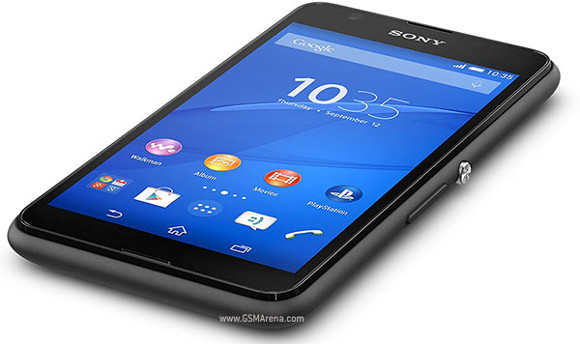
Sony unveiled the Xperia E4g just a few days ago, as the 4G-capable version of the originalXperia E4. And today it's already up for pre-order at a few online retailers in the UK.

For now, all of them are only offering the phone in SIM-free and unlocked form. So if you're one to usually purchase your handsets with an operator contract attached, you still have some waiting to do before you can grab an Xperia E4g.

If, on the other hand, you have nothing against paying full price for a smartphone, then the Xperia E4g can be yours for £110 at MobileFun, £125 at Clove, or £129.99 at Amazon.

MobileFun and Amazon don't say anything about a release time frame for the device, while Clove mentions that its first stock of the Xperia E4g is expected in early April. So even if you do pre-order, it will be a while before the Xperia E4g is delivered at your doorstep.

The Xperia E4g has a 4.7-inch 540x960 touchscreen, a 5MP rear camera with LED flash, a 2MP front snapper, 1GB of RAM, 8GB of expandable internal storage, and a 2,300 mAh battery. It's powered by MediaTek's MT6732 chipset, which comes with a 1.5 GHz quad-core Cortex-A53 CPU.

Friday, 27 February 2015

Asus Zenfone 2 aces Antutu, scores above the 50K mark

The Asus Zenfone 2 showed up in the Antutu database, posting impressive results. The 50401 figure in the screenshot is sufficient for the Zenfone 2 to inch ahead of the likes of Snapdragon 805 powered Samsung Galaxy Note 4, and Meizu MX4 with a Mediatek MT6595 inside.

The Zenfone 2, which was tested, had a powerful Intel Atom Z3580 chipset with a quad-core processor, clocked at up to 2.33GHz. The GPU is not Intel's work, instead it's the PowerVR G6430, borrowed from Imagination. It should be pointed out, that the score was achieved with "only" 2GB of RAM on board.

There's a catch though. With Asus' naming convention you rarely know which exactly device you're talking about. The smartphone in question sports a 5-inch display with 720p resolution, and the chipset has it easy, having to push out less than a million pixels.

On the other hand, the Meizu MX4 has a 1,152 x 1,920px panel, which is more than double the amount. Not to mention the Note 4 and its QHD display with, you guessed it, four times as many pixels.

Nevertheless, it's a very respectable achievement from the Atom and it's precisely what Intel needs to fight for a more prominent position in the Android realm.

Sony Xperia M4 Aqua spotted ahead of its official unveiling

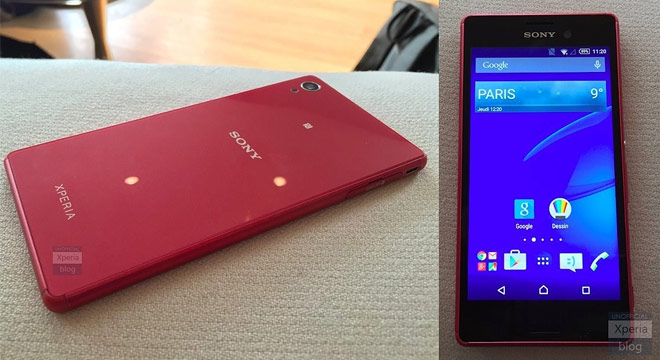
A Sony Xperia M4 Aqua is expected to join the Xperia Z4 Tablet at the MWC announcement and though that's not for a couple of days, the phone couldn’t elude the paparazzi any longer. Two photos show a classic Xperia design with a lot of similarities to the Xperia M2 Aqua.

The phone is most likely the Sony E2303 thathas leaked before, which would mean a 5.2" 720p display, Snapdragon 615 chipset running Android 5.0 Lollipop and a 13MP main camera and 5MP selfie camera, both shooting 1080p video.

Benchmarks unfortunately can't tell us the IP rating, but the Xperia M2 Aqua has IP68, making it dust tight and able to survive dives up to 1.5m for half an hour.

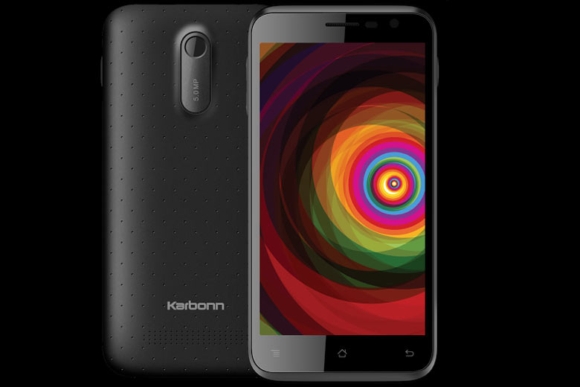
Karbonn Titanium Dazzle with 5-inch display launched

Indian smartphone manufacturer Karbonn has updated its Titanium line of devices with a new budget smartphone. Dubbed Titanium Dazzle, the handset comes in white golden and black colour options, and carries a price tag of INR 5,490 ($88).

The device is powered by a quad core SoC with 1.2GHz CPU, and sports a 5-inch (854 x 480 pixels) touch screen IPS display. It comes with 1GB of RAM, 8GB internal memory (expandable up to 32GB via a microSD card), and packs in a 1850mAh battery.

In terms of camera, the dual-SIM smartphone features a 5MP rear unit with LED Flash and a 2MP front shooter. Connectivity options include 3G HSPA+, WiFi 802.11 b/g/n, Bluetooth 4.0, GPS.

On the software side, the Dazzle, which runs Android KitKat 4.4 operating system, comes with Gesture-enabled features such as Swipe, which allows you to shuffle to the next song by simply swiping your hand across the device's screen, and Smart Eye, which tracks eye movement and automatically pauses the video when you look away from the screen.

Here's how to watch Samsung and HTC's pre-MWC events live

Both Samsung and HTC have revealed the live streaming details of their respective pre-MWC events, which are scheduled to take place this Sunday in Barcelona, Spain.

HTC will live stream the event on its website, starting at 10:00 AM EST (Eastern Standard Time – US). On the other hand, Samsung's event will begin at 12:30 PM EST, and will be streamed live on YouTube.

While the Taiwanese smartphone manufacturer is heavily rumoured to unveil the One M9 as well as the One M9 Plus, the South Korean company is expected to take wraps off the Galaxy S6 and its curved screen variant.

Panasonic's 64-bit Eluga U2 with Android Lollipop spotted online

Panasonic is ready to announce its first 64-bit mid-range handset - Eluga U2. As the successor of the Eluga U, this new handset comes with HD display and 4G LTE support (700/900/1800/2600 MHz).

Eluga U2 is the company's first smartphone to run Android 5.0 Lollipop out of the box. It houses a 64-bit quad-core 1.2 GHz Qualcomm Snapdragon 410 MSM8916 mobile chipset paired with 2 GB RAM and 16 GB built-in storage.

The Eluga U2 offers a 5-inch display with HD (1280x720) resolution, a 13MP rear camera, 5MP front camera and 2500 mAh battery.

Panasonic Eluga U2 is priced at an affordable $254 for Taiwan. Availability for other countries is yet to be detailed.

Sony to reveal something 'slimmer, lighter, brighter' at MWC

Sony has announced that it will reveal something "slimmer, lighter, brighter" at the upcoming Mobile World Congress (MWC), scheduled to kick off in Barcelona next week.

The company posted a teaser image (see above) on Twitter showing a person holding a white device, which looks similar to the Xperia Z4 tablet that leaked just days ago.

The Z4 leak revealed Xperia Z3-like design with rounded metal edges, and it is said to carry a 2K display.

Apple captures record 88.7% of smartphone profits

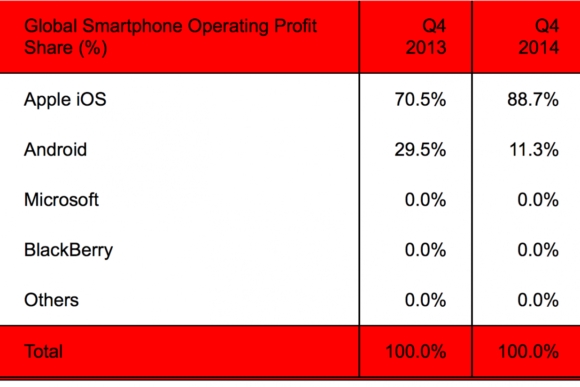
According to a latest report from market research firm Strategy Analytics, Apple iOS captured a record-high 88.7% global smartphone profit share in Q4, 2014, up from 70.5% in Q4 2013.

On the other hand, Android took a record-low 11.3% profit share, down from 29.5% in the same quarter in 2013.

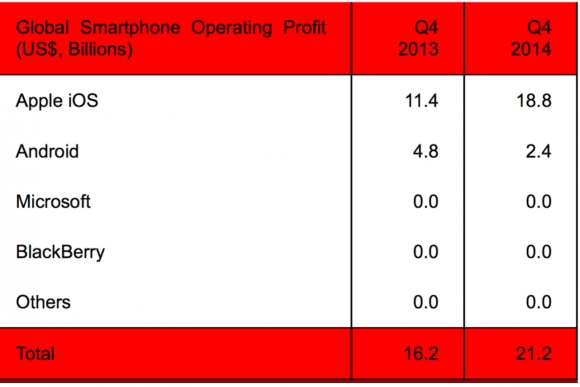
In terms of dollars, Apple's Q4, 2014 smartphone operating profits stood at $18.8 billion, up from $11.4 billion in Q4, 2013, while Android manufacturers had operating profits of just $2.4 billion, down from $4.8 billion in the same quarter the previous year.

"Apple’s strategy of premium products and lean logistics is proving hugely profitable," the research firm said, adding that "Android’s weak profitability for its hardware partners will worry Google."

Overall, global smartphone operating profit stood at $21.2 billion in Q4 2014, up 31% from $16.2 billion in Q4 2013.

[Root][Moto E][Guide HowTo]How to root Moto E [Condor][Noob Friendly]

Procedure

Download mfastboot-v2 extract its content and use that for unlocking BootloaderUnlock your bootloader From Here
.

TIPs:

Unlocking bootloader will wipe your device, Backup your photos, music, contacts using applications in play store or whichvere method you preferThe motorola site tells us to download the android SDK, You can skip that big download and use the fastboot in step 1Follow the further steps given on motorola's site, After clicking on Request an Unlock Key, You will get an email which will consist guideline to proceed further!Clicking on Request an Unlock Key is the point where you lose your warranty

Download The TWRP recovery from here(thread) orhere(Goo.im) rename it recovery-twrp.img and move it in the same folder as of step 1Download The SuperSU from here(thread) orhere(chainfire.eu)() and copy it into the root of your internal memory!Connect your phone to PC and Reboot to bootloader by pressing VolumeDown+Power button for about 6-7 seconds.Go to the directory in step 1, Do Shift+RightClick in empty space in the folder without selecting anything, Select Open a command window here.Run following command

Code:

fastboot boot recovery-twrp.img

If facing errors refer to TIP No. 2 and 3
Now touch doesn't work in recovery straight away, so wait 60 seconds without touching the phone, The phone screen will go blank.Press power button and do swipe to unlock to get your touch working again!

As Motorola released source code for the kernel, @cybojenix has fixed the touch issue, you can skip to step 10 directly!Select Install, scroll down and find the SuperSU Zip downloaded in step 4.Swipe to confirm, wait untill the flash is complete and then select reboot, to boot into your phone which is rooted nowCheck your app drawer, There should be SuperSU installed. Congratulations you are rooted!

TIPS:

Downloading things from the thread link is a better option as the hotlinks may get outdated, Thread links will not!If you want to install twrp rather then just booting into it for once, you can use following command to flash it permanently

Code:

fastboot flash recovery recovery-twrp.img

If stuck on Boot Logo of Motorola (blue M), @JerryGoyal has provided a Thread Here to solve the problem using CWM instead of TWRP.

If you do something wrong and stuck somewhere, The stock firmwares are available for restoring.
[Condor][Stock Firmware] Restore your Moto E to Stock[Lock Bootloader][Noob Friendly]

ROOT ZENFONE 5 KITKAT UPDATED(bootloader unlock,recovery)

WARNING: this method of rooting voids your phone's warranty
because you can flash system as usual and as it used to be, so don't worry
root with your own risk

this method works for WW SKU(i don't know about other SKU images but you can always give a try if you are on other SKU)

here am posting two methods of rooting

whatever the method it is , all we need is our zenfone 5 to be rooted. right??
one is root process by shakalaca and you can find his posthere(use google translate in his page)(you can find the english translated here in the end of this post)
the second process is here as i posted below

make sure you have adb n fastboot drivers, intel mobile usb drivers, asus usb drivers
usb debugging must be turned on(settings-->developer options)
to get developer options goto settings-->about-->build number(tap on it 7times) now go back n u will find developers options

first of all download the bootloader.zip attached below
download SuperSU flashable zip attached below and place thisUPDATE-SuperSU-v2.02.zip file into your internal storage(lets flash it later why so hurry?)
extract the bootloader.zip and place the extracted files in your adb or fastboot folder(or simply place them in c:\users\xxx )
turn on the usb debugging option(settings-->developer options-->usb debugging)
connect your zenfone 5 to your windows pc
open command prompt on your computer and run these following commands
adb devices(you will see your device serial number)
adb reboot-bootloader(now your device will boot(startup) in droidboot menu
fastboot flash dnx dnx_fwr_ctp_a500cg.bin
fastboot flash ifwi ifwi_ctp_a500cg_unlock.bin
now your bootloader is unlocked so that we can flash custom recovery

best part: it is unofficial bootloader unlocking and when you update the next firmware via OTA the bootloader relocks by itself(yep you will receive OTA updates even after this)

my bootloader relocked after OTA update ofV2.19.40.18 n it relocked my bootloader
now i hope u unlocked your bootloader
download this recovery recovery_philz_t00f.tar(attached below)
extract it and you wil find the recovery_philz_t00f.img file
place that recovery in your fastboot folder and run these following commands
fastboot reboot-bootloader
fastboot devices (just to make sure your device is connected)
fastboot flash recovery recovery_philz_t00f.img
give it time to write the recovery( takes 3-4 seconds)
now that you have philz recovery
now run this command
fastboot reboot-bootloader
now your Zenfone reboots to bootloader menu and select recovery option by scrolling down(use volume-) and select( use power button)
u can disconnect your device now and u are in recovery
the recovery is a little bit laggy but works fine
select the option install zip from sd card
select the UPDATE-SuperSU-v2.02.zip file that u placed in your internal storage earlier
now you have options to say yes or no.. select yes and let the recovery flash SuperSU
I hope u have flashed successfully
now opt for reboot system now
guess what your ZenFone is rooted Buddy
check it using any root checker app or install any root related app or you can check that SuperSU is working without any error

screenshots????
well attached below for proof

Want to relock the bootloader??
i suggest you not to relock the bootloader coz the OTA update relocks the bootloader automatically
still want to relock bootloader?
read below posts before relocking the bootloader because some members faced problems

here you go
refer to this link
http://www.asuszenfoneblog.com/2014/...s-zenfone.html

Stuck at USB logo????
WELCOME BACK
here is the solution:
flash this modified stock recoveryhttps://www.dropbox.com/s/xvauuk0tzi...overy.img?dl=0 in droidboot menu
fastboot flash recovery <filename>.img (filename can be anything or the name of recovery you downloaded from above)
download the last JB update package V1.18.40.10
now goto recovery n wipe data/cache
then sideload the JB update package V1.18.40.10(how to sideload????? explained below)
it will work for sure
after updating wipe data n cache again
now reboot system n go through initial setup n everything will be fine 
well you will be on JB now but if you want Kitkat then sideload the Kitkat update package
and follow the root process from the beginning
finally i suggest you not to relock the bootloader because when you sideload the update it will relock the bootloader)

OTA updates are available after rooting by this process
yes OTA updates are still available(even if the bootloader is unlocked)
image attached below to show ota update
i got OTA update of 2.19.40.18_20141003_8008 release-keysand downloaded it n updated successfully without any issues
if you can't find OTA update from your ZenFone 5 then download the update package from asus website
whenever you get OTA update check for ASUS website and download the package from there
here is the link to asus website for downloading future updateshttp://www.asus.com/in/Tablets_Mobil...Desk_Download/
there just click on select OS and select android and then you will find the update packages
after downloading the package extract it and u will fing another zip of name like UL-ASUS_T00F-WW-2.19.XX.X-user.zip
place that .zip file in your internal storage and the system detects it as update file and notifies you whether to update
if it fails then sideload the update via ADB

applying OTA updates via adb

Just download the package from the ASUS website stated above(click on the link)
place the package UL-ASUS_T00F-WW-2.19.XX.X-user.zip to your adb or fastboot folder
now enter into droidboot menu(power off your phone and hold power button+volume up till you see droidboot menu) of your Zenfone 5 and connect it to your PC
now scroll down(use volume keys) to recovery and select it(use power key) and your phone will boot to recovery
now that you are in recovery(you can see a droid symbol lying down with red triangle over its stomach)
press n keep holding volume down button, press volume up button(press vol+ button while still vol- button holding)
now you will see recovery commands
scroll to apply update from ADB
now open the command prompt on your PC and type this following command
adb sideload UL-ASUS_T00F-WW-2.19.XX.X-user.zip
now wait for the process to complete till 100%
now the system update starts and HURRAY you just updated the firmware successfully

(if you have installed xposed framework or Lucky Patcher then you have to follow these steps before updating2.19.40.18_20141003_8008 release-keys)
for those who have xposed installed on Zenfone 5 the latest update will fail
but here is the solution for that
open the .zip package of firmware you have present on your Zenfone 5
for example the UL-ASUS_T00F-ww-V2.19.40.6-user.zip
open it using winrar and navigate to system/framework
find the files core.odex
core.jar
services.jar
services.odex
drag them out on your desktop
now copy them into your internal storage
now use a file manager like ROOT EXPLORER and navigate to/system/framework
delete the core.odex
core.jar
services.jar
services.odex files because these are patched by xposed framework and wont let the system to update
now after deleting the patched files
move the files
core.odex
core.jar
services.jar
services.odex files you dragged from zip package and pasted in your internal storage to the folder/system/framework and change the permission to like this rw-r--r--
image attached below

for all the four file(now you restored all the system actual files)
now update it using OTA or by ADB SIDELOAD it wont give you any error
i did this and i updated sucessfully
you will lose root access for the first boot but dont worry
reboot your device again and you will get back the root access
happy updating

root process by shakalaca

enable USB DEBUGGING in settings-->developer options
now download this package root by shakalaca and open in your windows pc
extract it and connect your Zenfone to pc in normal mode
do not remove or unplug your zenfone during this process
now double the root-zenfone-5-ww.bat(select tw if your SKU is TW or CHT if its CHT SKU)
follow instructions
now sit back and relax
dont panic during this process your zenfone reboots many times(like 6 times i guess)
and when it says finished just look out for SuperSU in your App Drawer
and yes you are rooted

sorry for grammatical errors(if any)
.

Attached Images
File Type: jpgpermissions.jpg
File Type: jpgota update after relock bootloader.jpg
Attached Files
File Type: rarScreenshots.rar 
File Type: zipUPDATE-SuperSU-v2.02[1].zip
File Type: tarrecovery_philz_t00f.ta
File Type: zipbootloader.zip